If there any problem, must be have solution to solve. So, at this moment, i wanna to share about how to solve if our computer install, windows 7 that have not genuine.
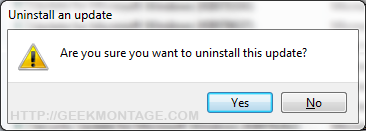
For those of you who installed the Microsoft Windows 7 Activation Checker update (KB971033) you can still uninstall it. The reason that viewers such as you may want to uninstall it, is because of the surround rumors that this update creates a new process/service that will slow down your system and has been rumored to monitor the user. If you haven’t installed this, you can hide and prevent the Microsoft Windows Update Windows Activation Checker (KB971033) from installing by using the directions below.
Many of you need to use the EASY METHOD listed below. That is 100% guaranteed working.
Steps that I recommend
1. Remove the patch using the steps below.
2. Follow the easy method below (WAT 2.25)
3. After that, restart your computer
5. Click the activation prompt to follow the official steps to validate your windows
6. Click the option to download the Microsoft file to re-validate your windows
7. The activator will detect your Watt 2.25 key and will act accordingly (this takes up to five minutes)
8. Reboot.
9. Do a windows update check and hide that damn update!
10. Try rearming windows afterwards if that didn’t work.
To Hide the Windows Update/Disable it From Ever Installing:
1. Go to Windows Update
2. Click to View Your Critical Updates
3. Right Click the one Labeled “Update for Windows 7″ with update ID “KB971033″
4. Click “hide update.”
For those of you who HAVE installed it and want to uninstall it